From weeks to minutes
- Before
- Developing a driver: weeks
- Now
- MinutesThe software prepares the driver, then we test it remotely on your installation together. Goal: testing within about 1 working day.
In short
- For you
- Choose the equipment that suits your project, even if there is no driver yet.
- What you do
- Request the driver under Driver requests in Watt and attach the device's register map.
- Note
- Early access, and aimed at devices with a Modbus interface.
No more delays because of a missing driver
As an installer you want to choose the equipment that best suits your project. If a device isn't supported by the EMSemsEnergymanagementsysteem dat energieverbruik en opwek bewaakt en optimaliseert binnen een installatie. yet, that can delay your project.
That's why we built the DriverdriverSoftwarecomponent die beschrijft hoe een apparaat werkt en communiceert, inclusief beschikbare data en commando’s. Factory. A large part of developing new driversdriverSoftwarecomponent die beschrijft hoe een apparaat werkt en communiceert, inclusief beschikbare data en commando’s. is now automated. Where this used to take weeks, the software now prepares a driverdriverSoftwarecomponent die beschrijft hoe een apparaat werkt en communiceert, inclusief beschikbare data en commando’s. within minutes.
Three benefits in your daily work
More freedom in equipment
You depend less on existing driversdriverSoftwarecomponent die beschrijft hoe een apparaat werkt en communiceert, inclusief beschikbare data en commando’s. and can more often use devices from different manufacturers: batteries, inverters, energy meters and chargers.
Shorter wait for connections
New driversdriverSoftwarecomponent die beschrijft hoe een apparaat werkt en communiceert, inclusief beschikbare data en commando’s. are ready for a field test much sooner.
Insight into progress
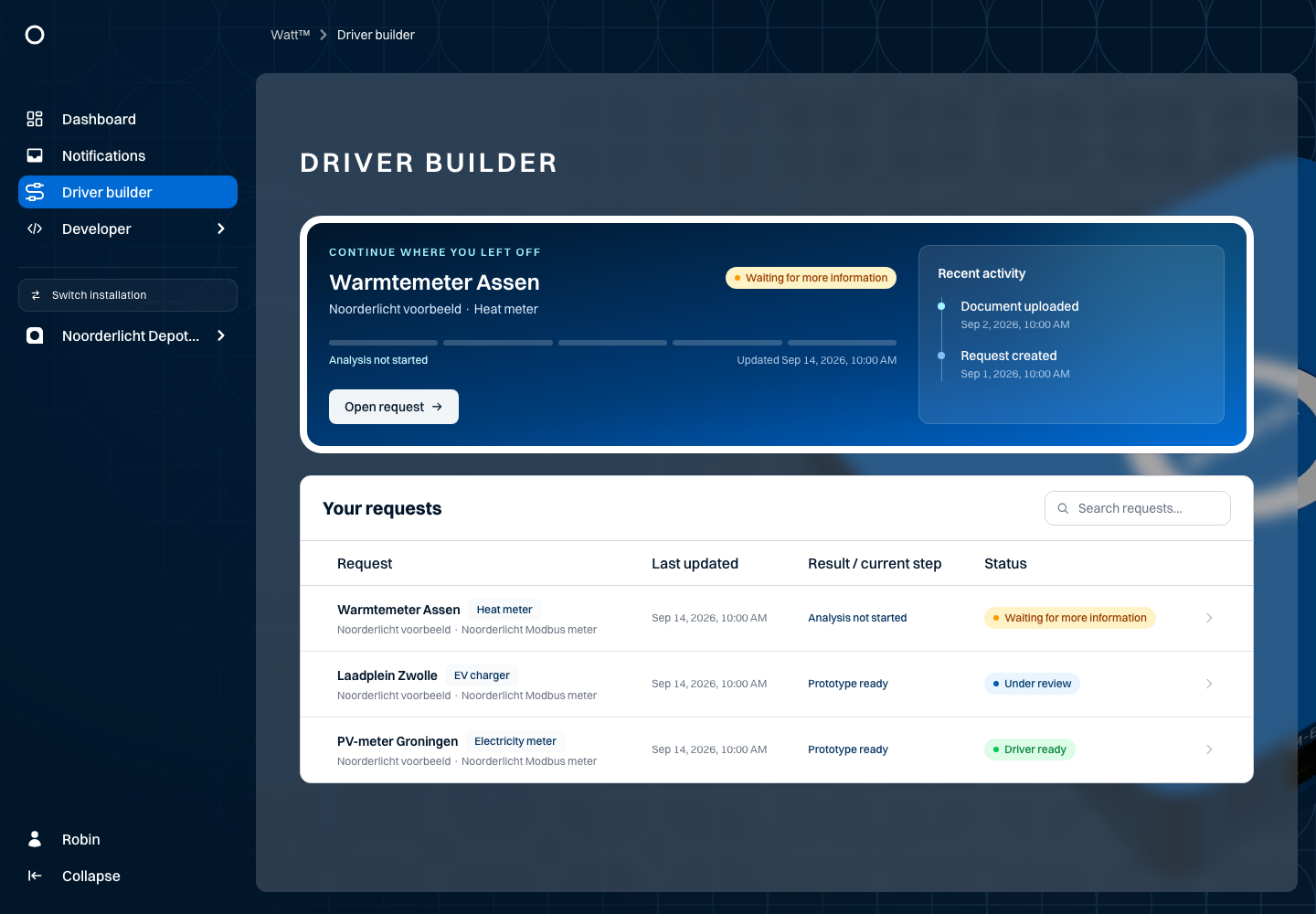
Under DriverdriverSoftwarecomponent die beschrijft hoe een apparaat werkt en communiceert, inclusief beschikbare data en commando’s. requests in Watt you request a driverdriverSoftwarecomponent die beschrijft hoe een apparaat werkt en communiceert, inclusief beschikbare data en commando’s., add documentation and follow its development.
From request to working connection
- 01
Request the driver
Enter the exact model and attach the communication manual or Modbus register map for that model and firmware. A product brochure is not enough. - 02
The Driver Factory assesses and builds
First it checks whether the device is already supported. If there is enough register information, the driver is built and tested. - 03
Follow it in Watt
You can see which steps have been completed and the stage of your request. - 04
Test the connection
“Driver ready” does not yet mean the device works on your installation. We plan the field test together.
- SubmittedYour request and documentation have been received
- StartedCheck whether the device is already supported
- Building driverThe Driver Factory builds from the register map
- ValidatingThe driver is tested in software
- PublishingThe driver is ready for a field test
Publishing means the driver is ready, not yet that it runs on your installation.
The automated build route is aimed at Modbus (TCP or RTU). A device that only offers another protocol is not automatically suitable. Not every request leads straight to a driverdriverSoftwarecomponent die beschrijft hoe een apparaat werkt en communiceert, inclusief beschikbare data en commando’s.: sometimes more information is needed, only reading data seems possible, or our team needs to review it. See which information you need to provide.
Now in early access
The DriverdriverSoftwarecomponent die beschrijft hoe een apparaat werkt en communiceert, inclusief beschikbare data en commando’s. Builder is available for accounts where it has been enabled. Want to connect a new device or use the DriverdriverSoftwarecomponent die beschrijft hoe een apparaat werkt en communiceert, inclusief beschikbare data en commando’s. Builder? Get in touch and we'll discuss the options.
You choose the equipment. We help you connect it.
Read in the documentation how to submit and follow a driverdriverSoftwarecomponent die beschrijft hoe een apparaat werkt en communiceert, inclusief beschikbare data en commando’s. request.